An ode to Psion.
As some of you will know, one of my all time favourite tools was my Psion 5MX. It was the tech tools of the late 1990’s and all the way through what have become known as the noughties. Alas, with the rise of the touch screen device and the inclusion of cheap WiFi and GPRS and 3G/4G wireless chips, the Psion died. I have written about the Psion before and a quick scoot around this site will find some articles. Look out for the excellent History of Psion articles which I stole from The Register.
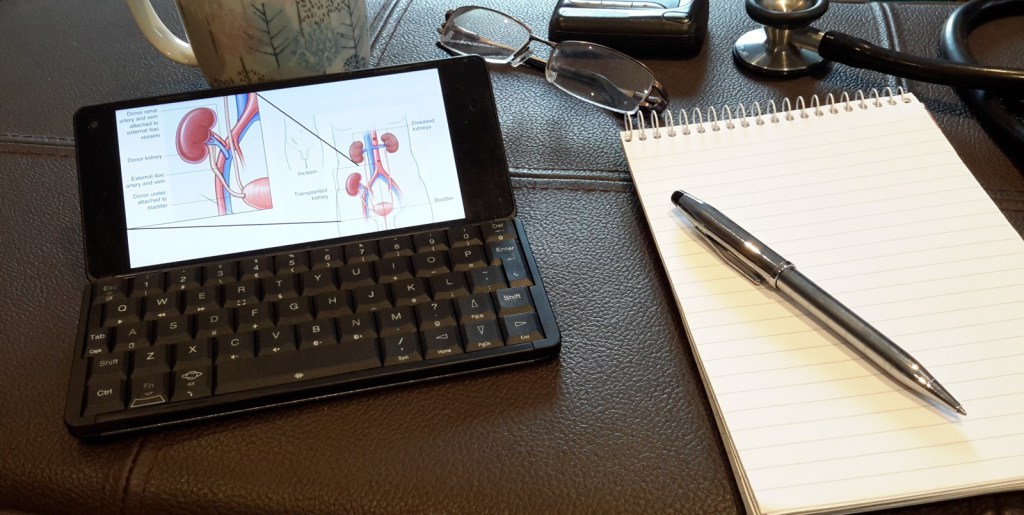
For the last few months I have been using the Psion incarnate, the Son of Psion, known as the Gemini, from Planet Computers.
Simply put, the Gemini is a mobile ‘phone with a keyboard attached. More accurately, this is a device which allows the creation of written content, on a fully QWERTY keyboard, with a single button voice assistant, web cam’, an excellent aluminium clam shell body and an option for HDMI output. Ohm and an excellent full QWERTY keyboard. Did I mention that. It also has the option, when ordering, to specify a keyboard in a range of other language configurations.
Rather than a mobile ‘phone with a keyboard, think of it as a laptop, the size of a large phablet device, such as a Huawei P20 or a Samsung Mate. For half the price of either and one third the price of an Apple thing.
There is only one draw back with the Gemini but I will come to that below.
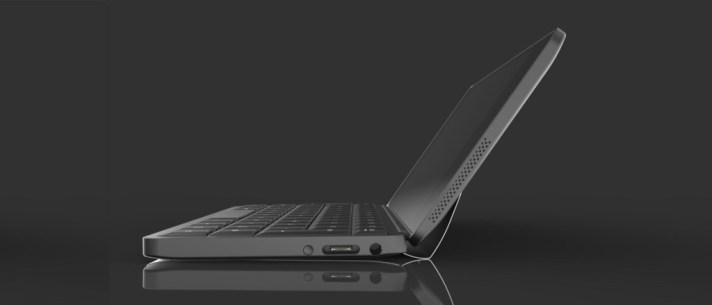
Some of the reasons the original Psion was so loved was that excellent keyboard and some truly excellent native software. The keyboard has been redesigned but looks almost identical to the original, with the exception of the legendary slide out mechanism. To say the new keyboard is a marvel of design and engineering excellence is not singing highly enough just how good the keyboard is and just how quickly one is able to adapt from a laptop keyboard to the Gemini. It can not be overstated just how much better it is to type on a physical keyboard that a virtual, screen based keyboard. And of course, it liberates so much screen space because there is no virtual keyboard. Magnifique.
The original Psion also had some excellent native software, two of which were Agenda and Data. Data is a mobile database application. Need to say more about this…..
The other great native programme was and is the Agenda. There are a plethora of calendar applications which suck in information from Google Calendar and Outlook and a series of online .ics and .cal calendar services. Agenda can do this as well, but what makes it so eminently usable is the seemingly endless ways to view data, to connect data, to review data and manage data. It can be online or, more importantly, work off line. A new Year Planner view has just been added to Agenda, which, with judicious use of colours, can provide an excellent over view. For a Project Manager there can be nothing more useful.


Finally, for a hat trick of excellent native software, is the Notes programme. So good is Notes, that I am writing this entire article, pictures included, on the Gemini. Again, without wishing to labour the point, sitting in a Jugendstil style cafe of a major European capital, with a coffee and typing on the Gemini is so much more relaxing than trying to squeeze the words onto a tiny, cramped virtual keyboard.
The intellectually aware amongst you will have realised that I did mention that there is one drawback with the Gemini. Now is the time to mention the elephant. Android. The Gemini is a device running Android, with all of the drawbacks and issues this has. Data tracking and data mining, the intrusiveness of the location history tracking, Googles desire to you use only Google services and therefore be subject to the advertising behemoths delivery of pointless and unwanted adverts.
I originally bought the device through Indiegogo as an early backer almost two years ago. I knew then the device would be Android. However, I also new there were intentions to allow the device to dual boot, either into Linux or Sailfish. Currently, there is an option to dual boot with Debian, which I have not done. However, Jolla and Planet Computers have just confirmed that Sailfish Three is ready for Community Testing. I do not have the courage to join that, I have to admit as my own personal skills and ability to use the command line could break the entire device. I’m going to wait for the end of November Sailfish release when a bootloader with “install” will be ready. Jolla on Gemini.
Magnifique.
 Mark Daniels